

Design of a mobile hotel room booking app
Experience hassle-free booking for memorable getaways
year
2024
service
UX Research, UX Mobile
client
HotelSuche
Hotelsuche is a mobile app that helps you find the cheapest hotel room that suits your preferences and needs. This app lets you browse accommodations, compare prices, read user reviews and book easily.
The app's intuitive interface lets you easily filter and sort results by price, location, amenities, and star ratings. You can also access detailed information about each property, including high-quality photos and virtual tours, to help you make informed decisions about where to stay.Whether you're planning a budget backpacking adventure or indulging in a lavish getaway, Hotelsuche caters to all types of travelers.

• case study
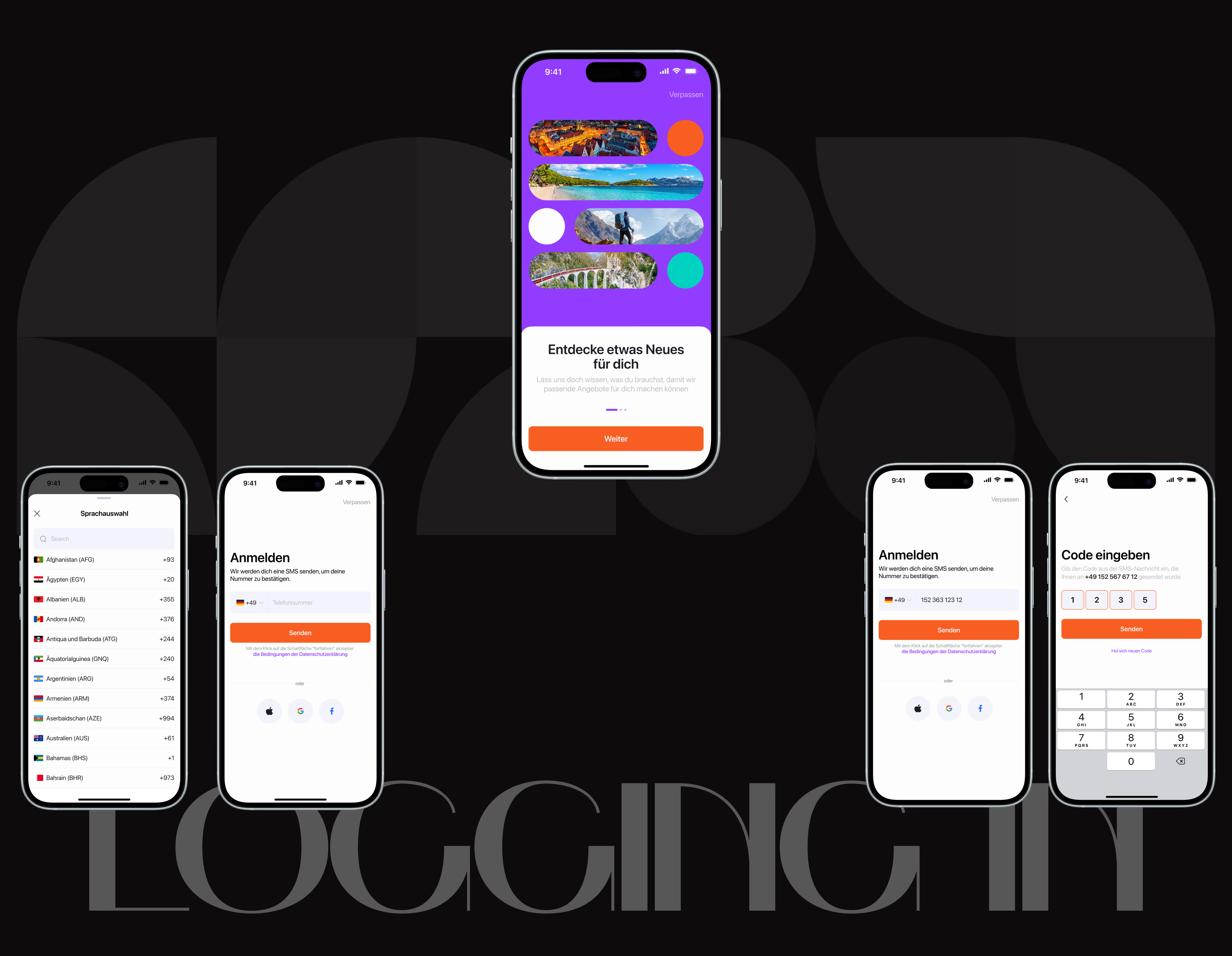
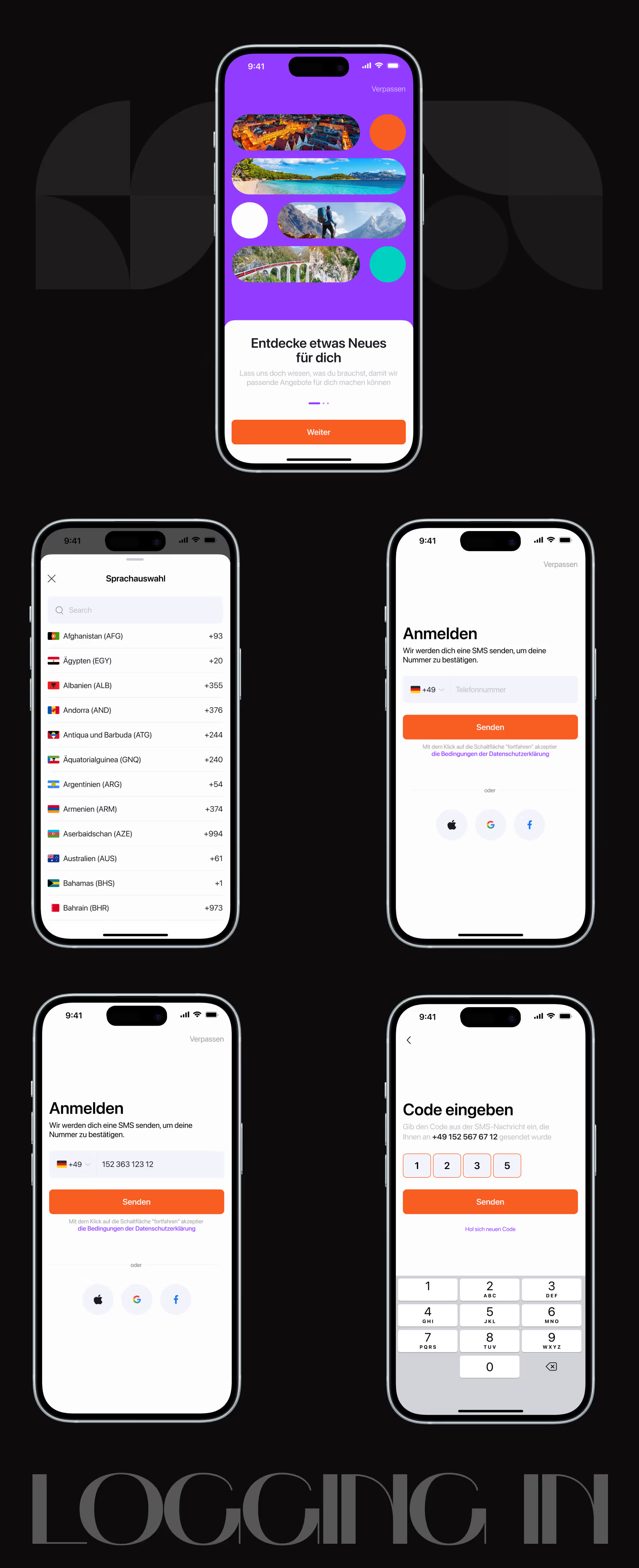
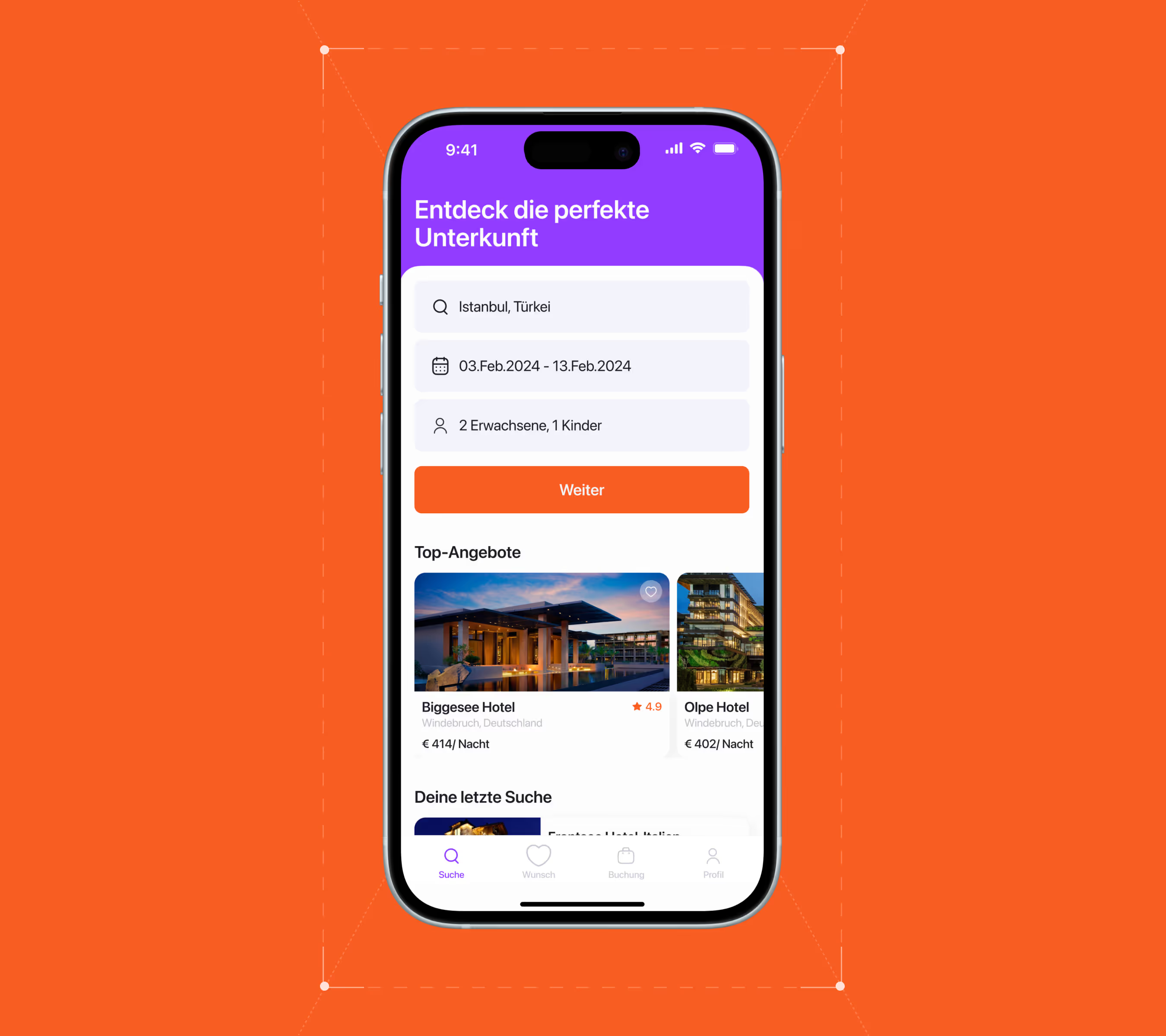
I had the incredible opportunity to work on a large and exciting project that involved meticulously designing and detailing over 50 unique screens for a light and dark mobile app theme. This experience allowed me to immerse myself in the world of user interface design and to express my creativity to the fullest.
Creating a functional app that meets all technical requirements and modern mobile design standards was not my main task. My goal was to give it an aesthetic, uniqueness and character that would make it stand out from many other apps on the market. This required a deep understanding of UX principles and meticulous interface details.My goal was to create an application that was not only easy to use, but also truly entertaining, memorable, and inspirational. Every element of the design was taken into consideration, from the color scheme and typography, through the animations and micro-interactions.
01
Research and analysis
Before developing the mobile design, I conducted a thorough research phase. This included creating user personas to understand our target audience, defining jobs to be done to clarify user goals, mapping the user flow to optimize navigation, and developing a customer journey map to identify key touchpoints and pain points. These steps were critical to informing my design decisions and ensuring a user-centered approach.

02
Wireframing and prototyping
In the prototyping phase, I created an information architecture to understand how the application would work. Next, I created a functional and interactive prototype to visualize what the interface of the future application would look like and where the various elements would be located. I started with simple diagrams to define the main areas and components such as buttons, menus and input fields. I then moved to a more detailed prototype by adding all the text, fonts, and basic interactions to the screens. This process allowed me to see how users would interact with the application.
03
UI Design and testing
The initial step was to select icons that would be easily recognizable and understandable to a diverse range of users. This enhanced navigation through the app and reduced the cognitive load on the user. I developed a harmonious color scheme that attracted attention while facilitating the perception of information. I also considered the psychological impact of different colors and their combinations to create the desired mood and atmosphere in the application.
• conclusion
I devoted a significant amount of time to thorough user research and competitor analysis in designing his project. I researched the target audience's needs and existing solutions. My background in user experience and market research helped me identify the best features and functions for the product.
[1]
The process
The app design process had several steps. I started with analyzing the requirements and target audience, then moved on to prototyping, developing the visual style, and testing with users. This approach let me think about all parts of the user experience and create an easy-to-use, attractive interface.
[2]
usability testing
I conducted usability testing with real users at every stage of the development process, which was crucial to the project's success. By regularly conducting usability tests and gathering feedback, I was able to identify areas for improvement and optimize the design to enhance the user experience.